 Donebase
Your day, the second you open it.
Donebase keeps your plan in a database on your own device. So it opens at browser speed, it edits at 35,000 feet, and it stays live with the people you plan with.
Free forever on the web. No card, no trial clock.
Free time you
can actually see.
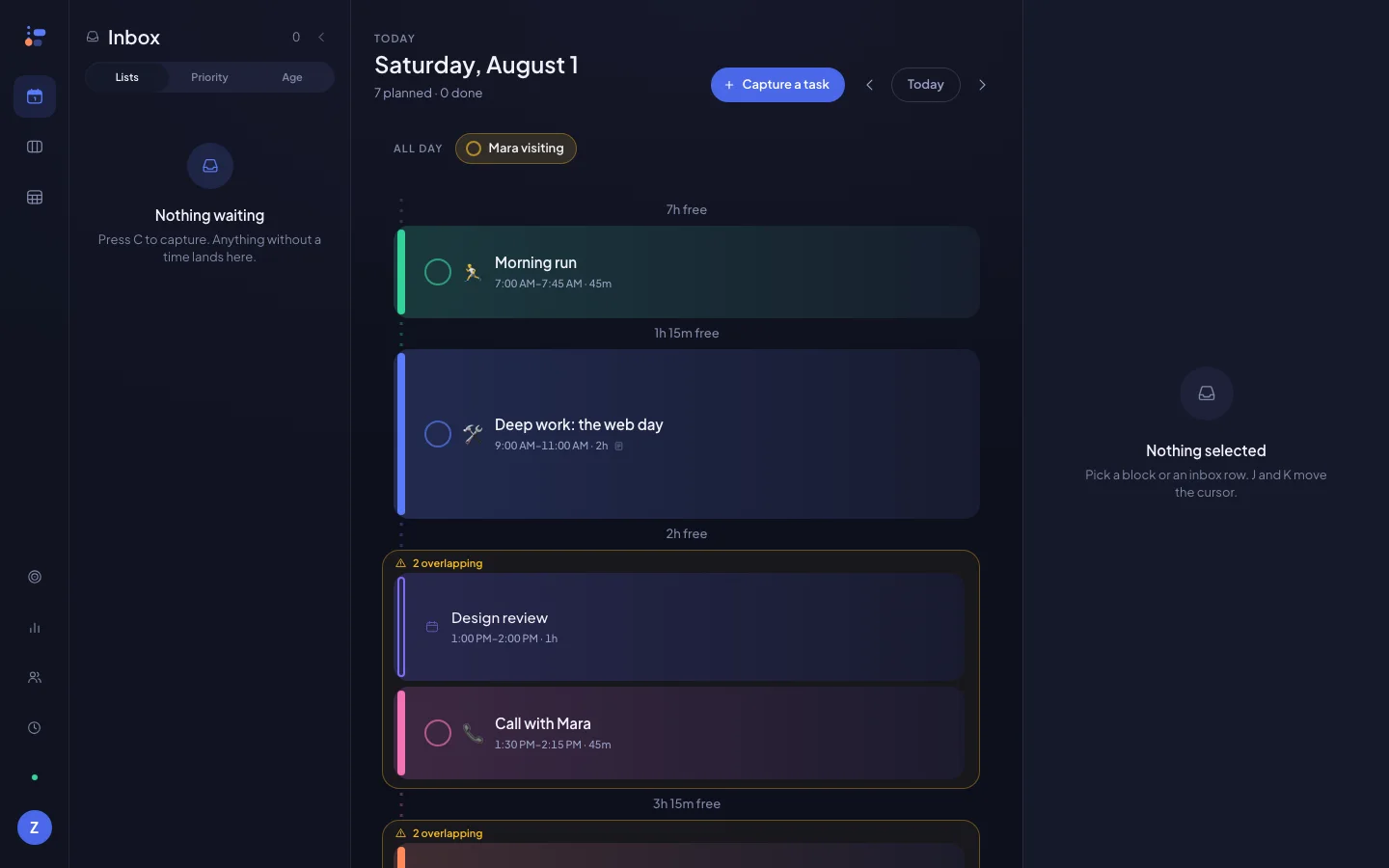
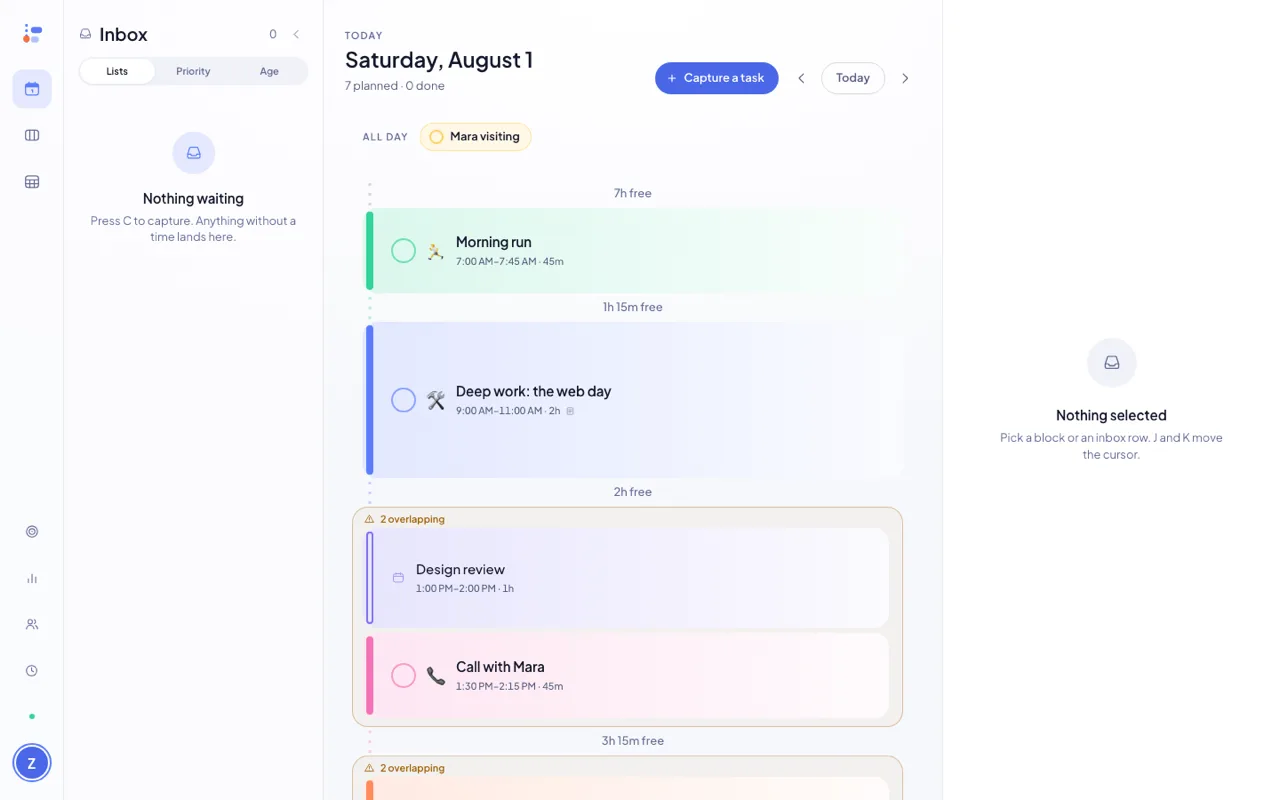
An hour grid gives 4pm the same height as 4am, so a full day and an empty one look identical. Donebase sizes every block by how long it really is, then folds the gaps into a seam that names them — and puts an Add button inside.
Seven of these eleven hours are free. Nothing on this column says so.
Same five things. Now the empty hours have names and a button.
Long work gets room
A two-hour block is genuinely taller than a fifteen-minute one, up to a cap — so the weight of your day is visible before you read a word of it.
Gaps become offers
Every gap over fifteen minutes collapses to a labelled seam. Press P and Donebase proposes what fits — you accept it, or you don't.
Overlaps get warned, not hidden
Two things at 1pm are drawn as two things at 1pm, with a warning above them. Donebase will not quietly move one to make the picture tidy.
Day. Week. Month.
One object, three heights.
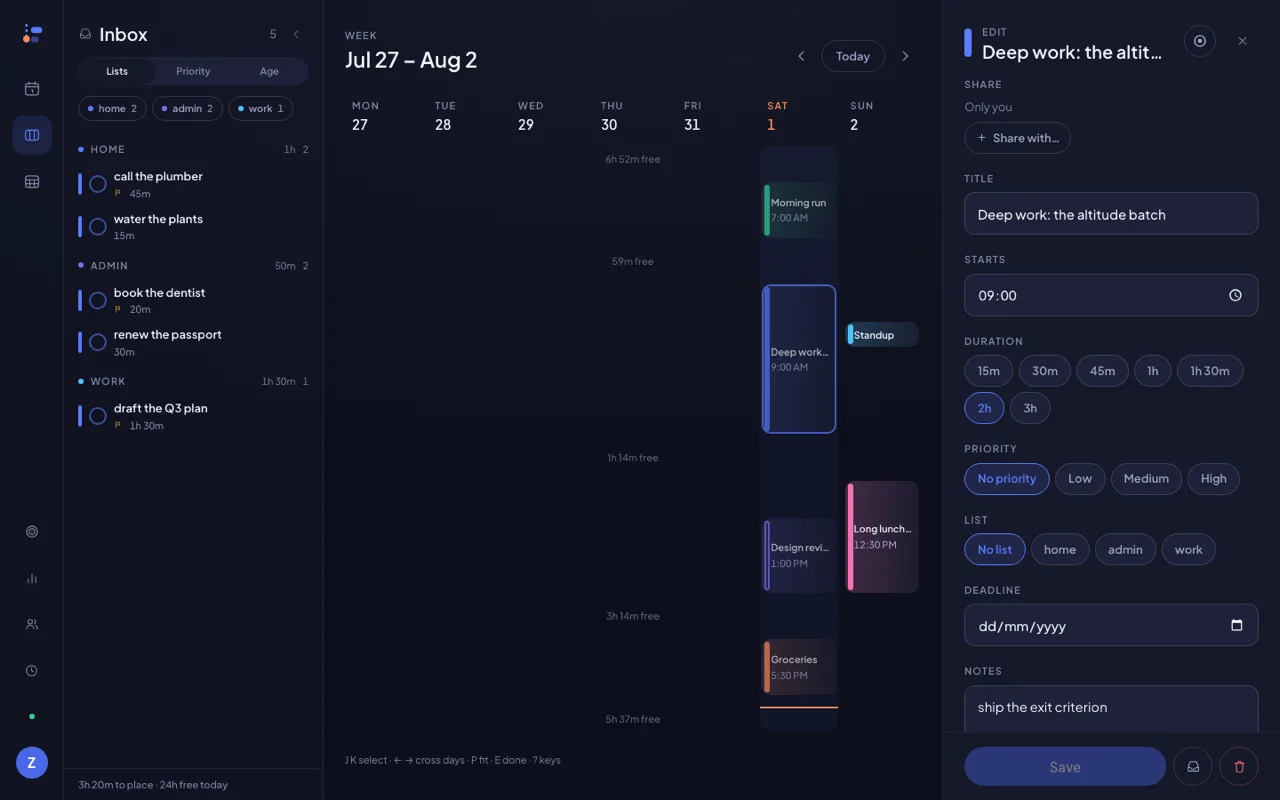
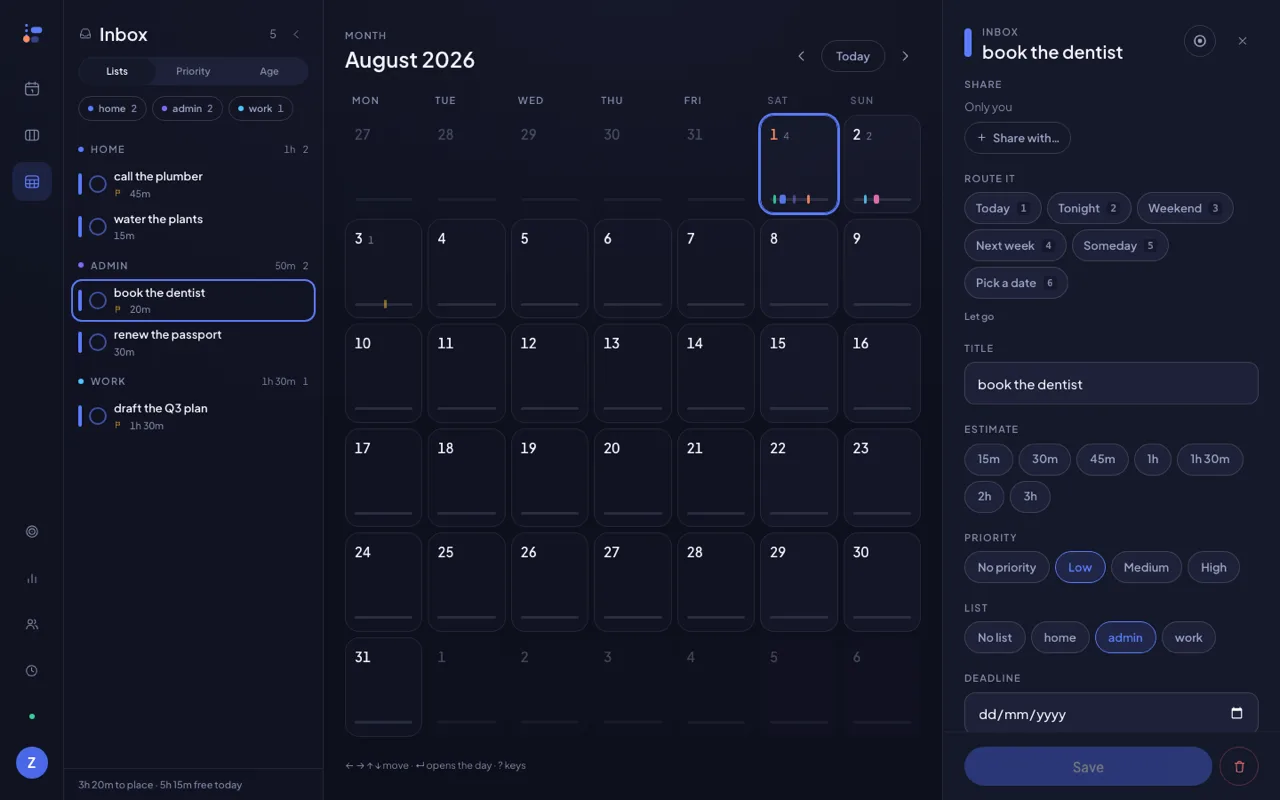
Press W and the day does not close — it pulls back. Seven elastic columns share one axis, so you can see which evening is actually free. Press M and each day becomes a bar code of its own shape.
Other planners
have people.
Ours has presence.
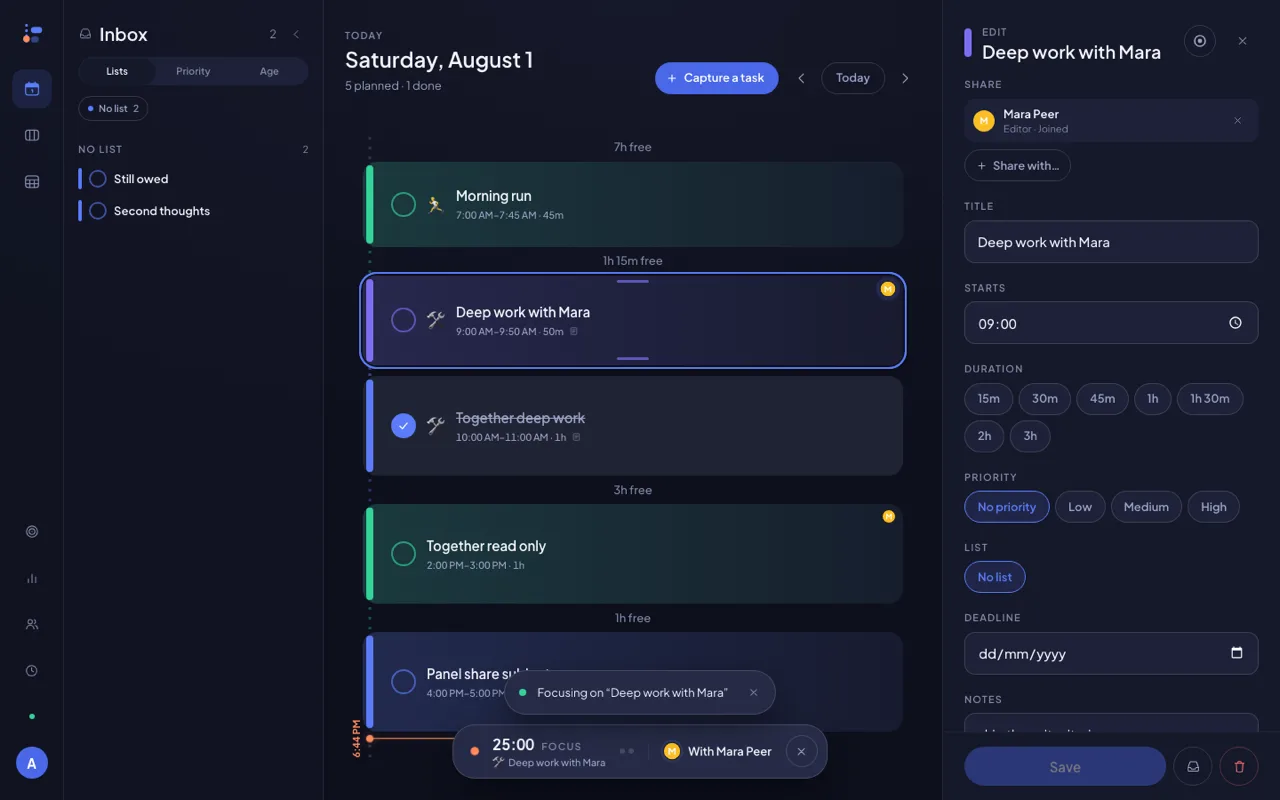
Share a task and it becomes the same task on both screens — not a copy, not a notification. Move it and it moves for both of you. And when your partner opens it, you can feel them there.
- One row, two devices. Editors change it, viewers watch it, and every edit lands in under a second.
- Their avatar breathes while they are on the block. Slow and shallow on purpose — someone across the table, not a notification.
- Focus together. Start a session on a shared task and the bar says who is working with you. Body doubling, built in.
- Done by Mara. When someone else finishes it, the card says who — history keeps the name.
- Getting connected is a link. Send it, they tap it, they are in — no code to read down the phone. Taking the invite is free; sharing the task is the Pro part.
Every verb
is one key.
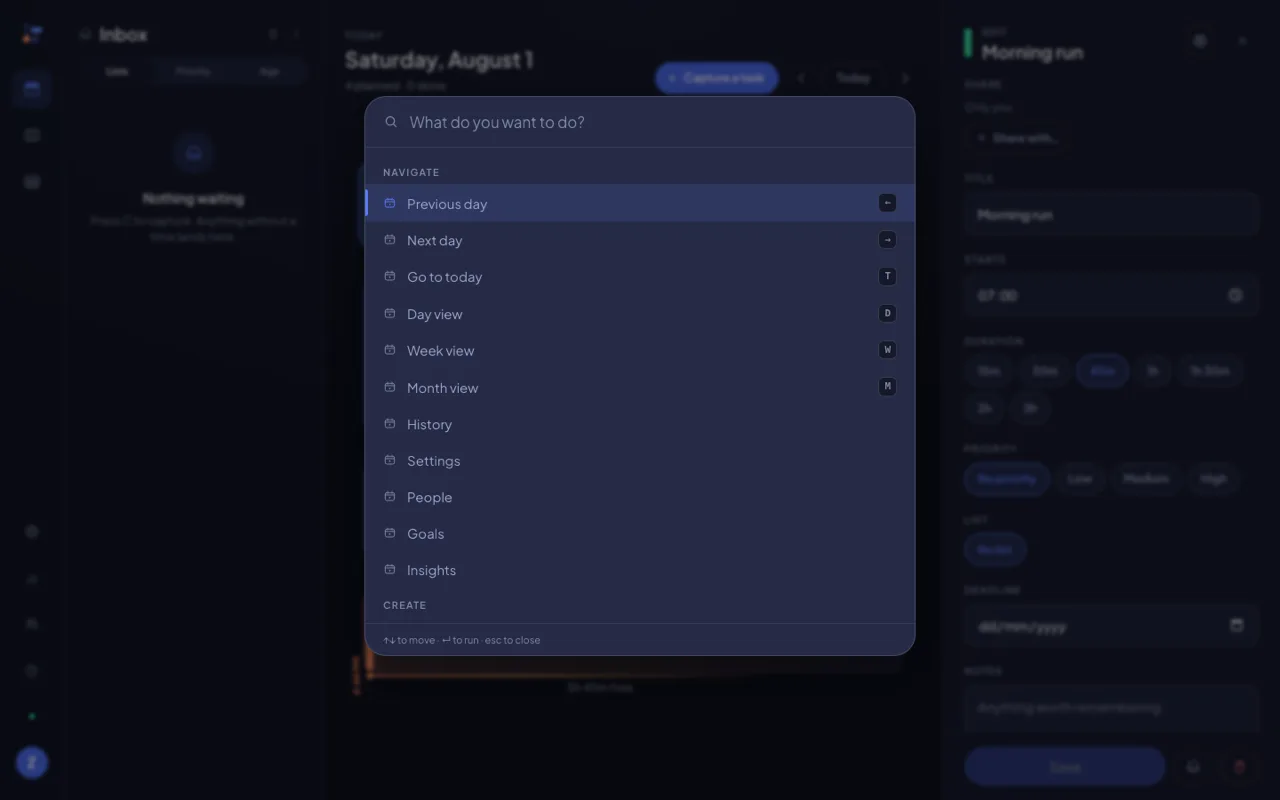
Plan a whole day without touching the mouse. And you never have to learn the keys first — ⌘K opens the palette, every command lists its own shortcut, and you pick them up by using them.
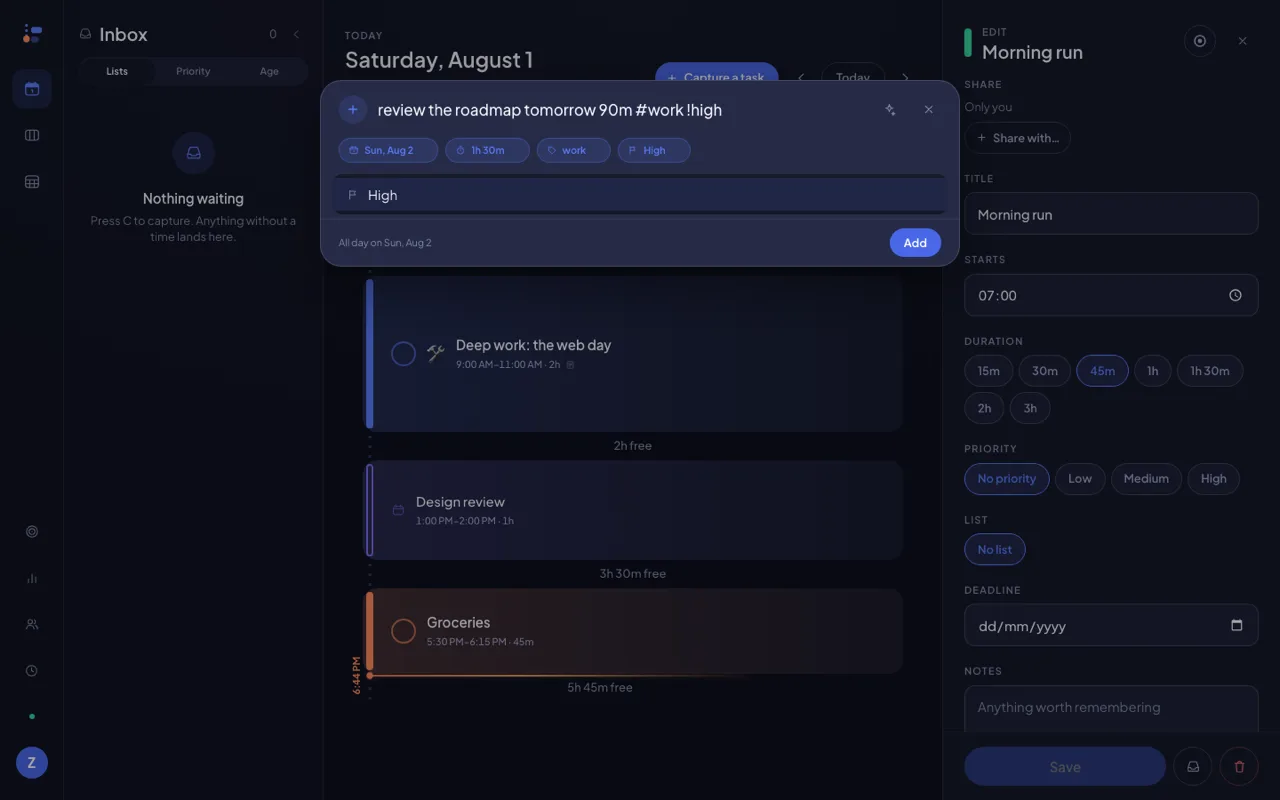
Capture reads plain language too. Type “review the roadmap tomorrow 90m #work !high” and the date, the length, the list and the priority come back as chips you can tap off. The AI that reads harder sentences than that stays off until you switch it on.
Tap a task and it opens to read, not to edit — its notes, its subtasks and the photos or files you attach (ten to a task, fifteen megabytes each) sit still until you press ⇧↵. Edit a repeating one and Donebase asks the question every planner should: just this occurrence, or the whole series? Move today's stand-up and next week's stays exactly where you left it.
Phone. Browser.
Aeroplane.
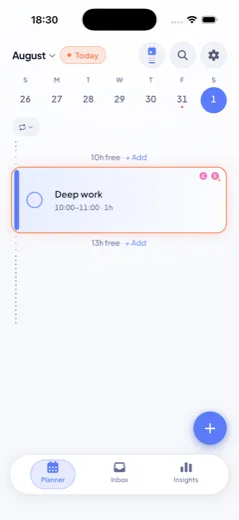
Same account, same plan, same second. Install the web app and it lives in its own window with a dock icon; pull the plug and it keeps working, because the database was never on our server to begin with. Many of the newest pieces here — invite links, private mode, editing one day of a repeat, files on a task — are in Donebase because people asked for them by name.
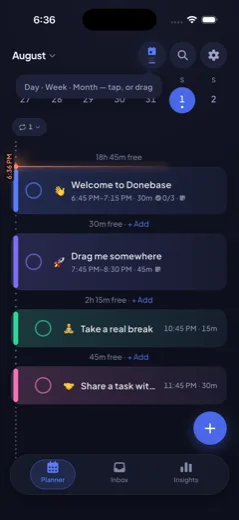
iPhone, iPad & AndroidComing soon On iPad the timeline, the inbox rail and the task you are reading share one screen. Widgets, reminders you can set weeks ahead, and a Live Activity while you focus.
Light or darkIt follows your system, or you overrule it.
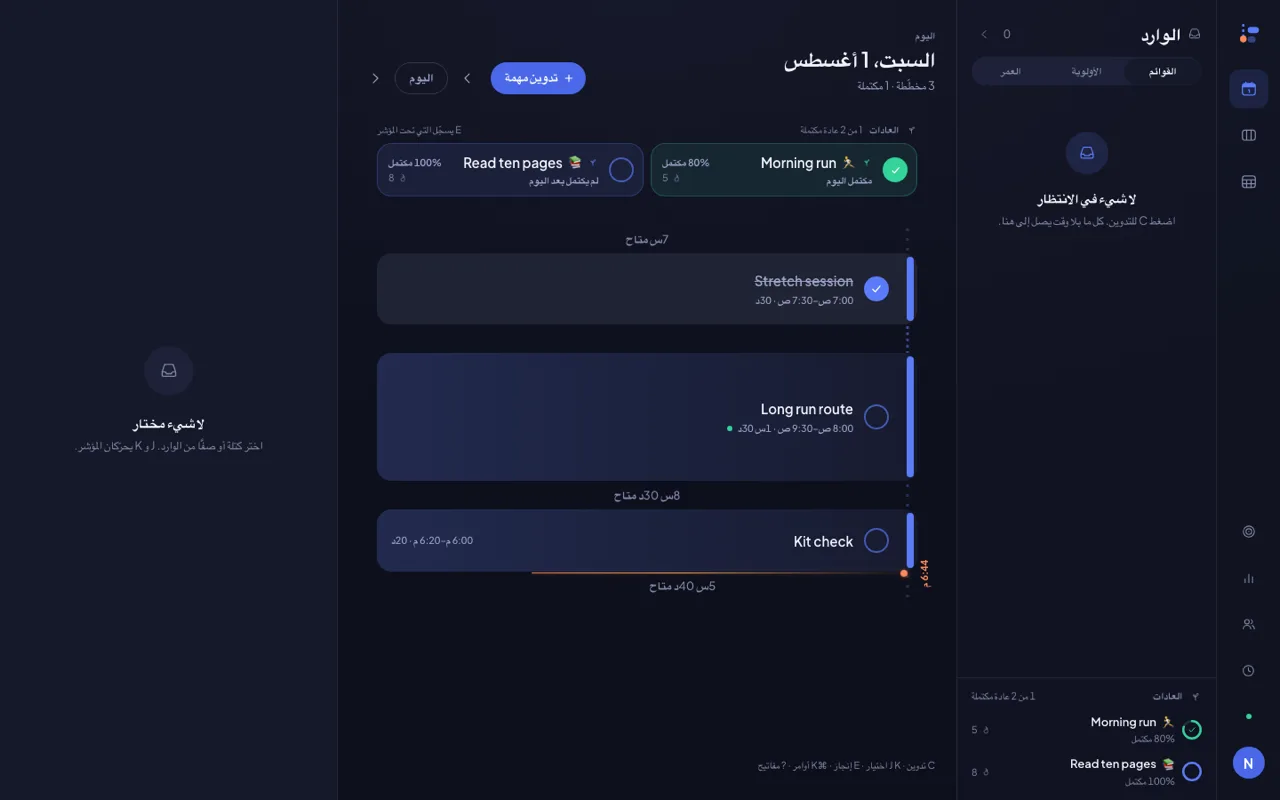
26 languagesArabic mirrors the entire layout, not just the words.
The plane test
Open, read, edit, create, complete — all of it with the network off. When you land it syncs, and the last edit wins by timestamp, not by luck.
A desktop app, one click
Donebase installs from the browser into its own window, with its own icon. No download page, no updater, no 300 MB.
Bring what's already booked
Connect a Google or Outlook calendar and what is booked lands on your timeline — in a colour you pick, with keyword rules to hide the noise. Writing your plan back to one calendar is an opt-in switch, off by default. Calendar sync flips on soon.
Three promises,
in writing.
A planner sees more of your life than almost anything else you install. These are the lines we have decided not to cross, and they are as much a part of the product as the timeline.
We won't charge you for offline
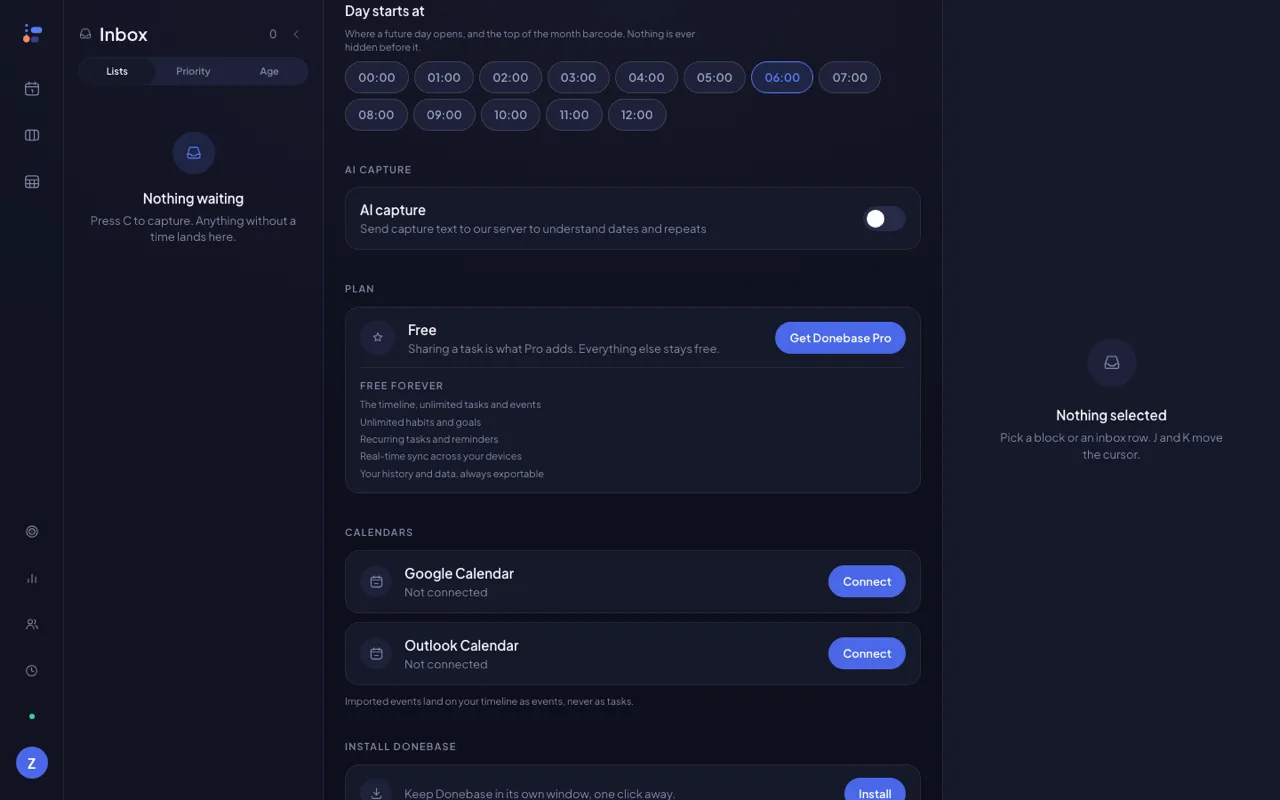
The parts of Donebase that make it worth using are free on the web, with no trial clock and no card.
- The timeline, unlimited tasks and events
- Unlimited habits and goals
- Recurring tasks and reminders
- Real-time sync across your devices
- Your history and data, always exportable
We won't feed your day to an AI
AI capture is off until you turn it on, and the switch says exactly what leaves your device: the text of that one field, nothing else. Not your timeline, not your notes, not your history.
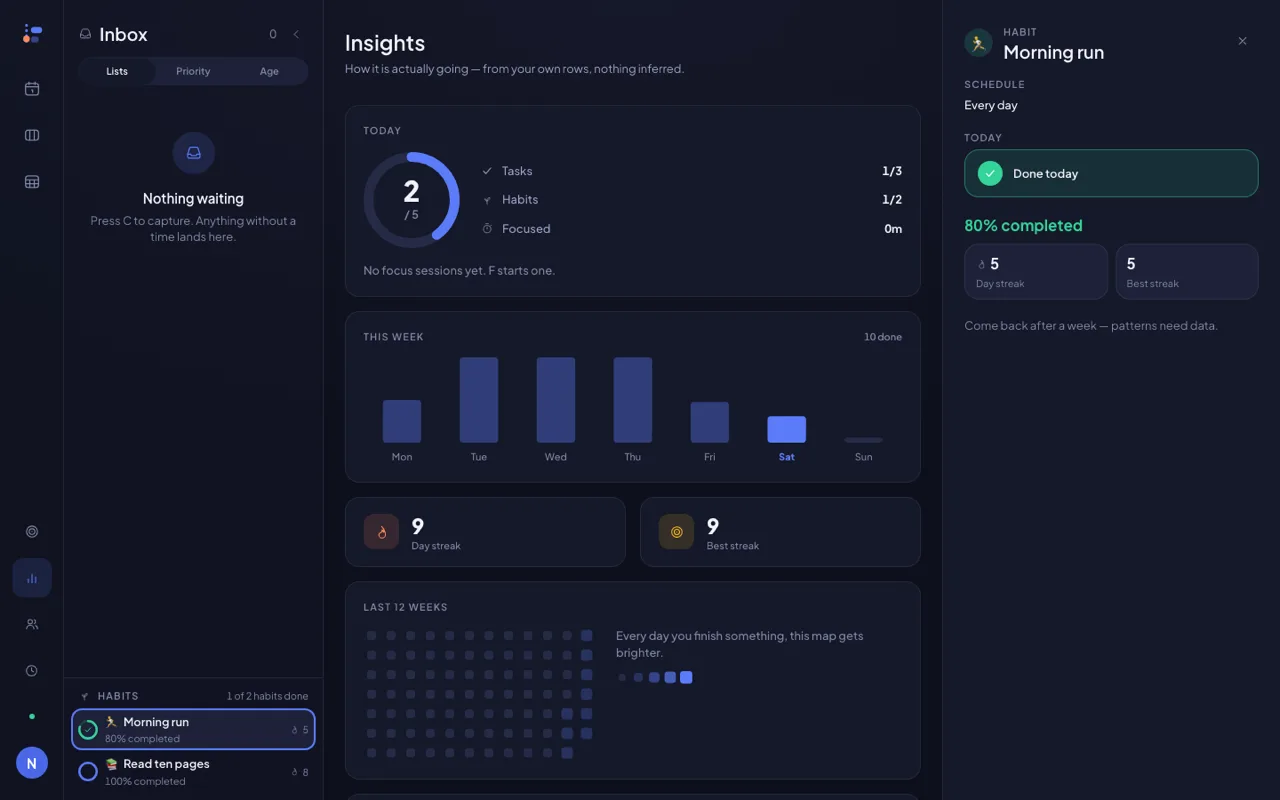
Statistics are the same discipline. Every number in Insights is recomputed from your own rows — nothing is inferred to make a chart look better.
And for a screen that is not only yours — a shared iPad, a call, the train — Private mode blurs every title and note in one tap. The switch stays on that device and never syncs.
We won't rearrange your day
Auto-scheduling planners move the block you placed and hand back a day you never agreed to. Donebase finds the gaps and offers. Every suggestion needs a yes, and nothing you put down by hand ever moves on its own.
Calendar sync will hold the same line when it lands: import is read-only, and writing your plan back to a calendar is a switch you turn on, never the default.
One line
is paid.
Sharing a task with another person is what Donebase Pro adds. Everything else stays free — on the web, on your phone, forever. One subscription covers every platform you sign in on.
The field charges $10–34 a month for a planner. We would rather be the one you keep.
Everything one person needs to plan a day, a week and a year.
- The elastic timeline in all three views
- Unlimited tasks, events, habits and goals
- Recurring tasks, reminders weeks ahead, and the inbox
- Attachments on tasks, focus sessions and insights
- Full offline, real-time sync and export
No card. No trial. Sign in with an email and start.
The one thing Pro adds — for the people who plan a life with somebody else. One subscription, every platform.
- Share any task or event as editor or viewer
- Presence on shared blocks, and focus together
- “Done by” history across both accounts
- Habit streak freezes and the rest of the extras
- Receiving a shared task is always free
Billing is not switched on for the web yet, and the iPhone and Android apps are still on their way. When Pro goes on sale, the entitlement will follow your account rather than the device — buy it once and it unlocks everywhere you sign in.
Ask before
you sign up.
Price, platforms, offline, sharing, AI and your data — the answers, not the marketing versions.
Do I need to install anything?
No. Donebase runs in your browser at donebase.app/app — open it and start planning. If you want it in its own window with a dock icon, one click installs it as a desktop app. The iPhone and Android apps are coming soon; the web app is live now, and it is the same plan, synced.
What does Donebase cost?
The timeline, unlimited tasks and events, unlimited habits and goals, recurring tasks, reminders, attachments on your tasks and real-time sync across your devices are free forever, and so is a full export of your history. Donebase Pro adds sharing a task with another person. We will never charge you for working offline.
Does it work offline?
Yes, on every platform. Your plan lives in a database on your own device, so Donebase opens and edits with no network at all — on a plane, in a lift, on hotel wifi that has given up. When the connection returns it syncs, and anything you share updates in real time.
What makes the timeline elastic?
An hour grid gives every hour the same height, so a busy afternoon and an empty one look identical. Donebase sizes each block by how long it is and collapses the gaps between them into a seam that says exactly how long the gap is — 2h 15m free — with an Add button in it. Your free time stops being blank space and becomes something you can act on.
Can I change one day of a repeating task without changing all of them?
Yes. Move or edit a single occurrence and Donebase asks whether you mean just that one or the whole series. Choose this one and the rest of the pattern holds — push Thursday's stand-up to 2pm and every other Thursday stays at nine.
How does planning with someone else work?
Send an invite link — they tap it, sign in, and you are connected, with no code to read down the phone. Then share any task or event as an editor or a viewer. A shared task is the same task on both screens, not a copy: when either of you moves it, it moves for both. You can see when your partner is on a block, and start a focus session alongside them.
Can I attach files to a task?
Yes, and it is free. Add photos and documents to any task — up to ten per task, fifteen megabytes each. They sync to your other devices, and they travel with the task when you share it.
Can I hide my plan on a shared screen?
Turn on Private mode and every task title and note blurs, while the shape of your day — its times and its counts — stays readable. It is a one-tap switch, it stays on that one device, and it never syncs, so blurring your laptop does not blur your phone.
Will Donebase rearrange my day for me?
Never on its own. Donebase can find the gaps and offer to fit something in, and you accept or reject each suggestion. Nothing you placed by hand is ever moved by the app.
Do you send my tasks to an AI?
Only if you turn AI capture on, and it is off by default. When it is on, the text of the capture field alone is sent so dates, repeats and priorities can be read out of it. Everything else — your timeline, your notes, your history — never leaves your device except to sync to your own account.
Can I bring my calendar in?
Calendar sync is on its way. When you connect a Google or Outlook calendar, what is already booked will show on your timeline — painted a colour you choose, with keyword rules to keep the noise out — and you will be able to opt in to writing your Donebase plan back to one calendar. One-time imports from Google Tasks, Todoist, Microsoft To Do and Apple Reminders are coming the same way.
What languages does Donebase speak?
26, including Arabic with a fully mirrored right-to-left layout. Dates, times, weekday starts and reminders follow your language and region.
Can I get my data out, or delete it?
Yes, both, at any time and for free. Export your full history from Settings, and delete your account and everything in it from the same screen. Deleting removes your personal data from our servers.
Open it and see
where your day went.
Free forever on the web. Works with the network off. Ready in the time it took to read this line.